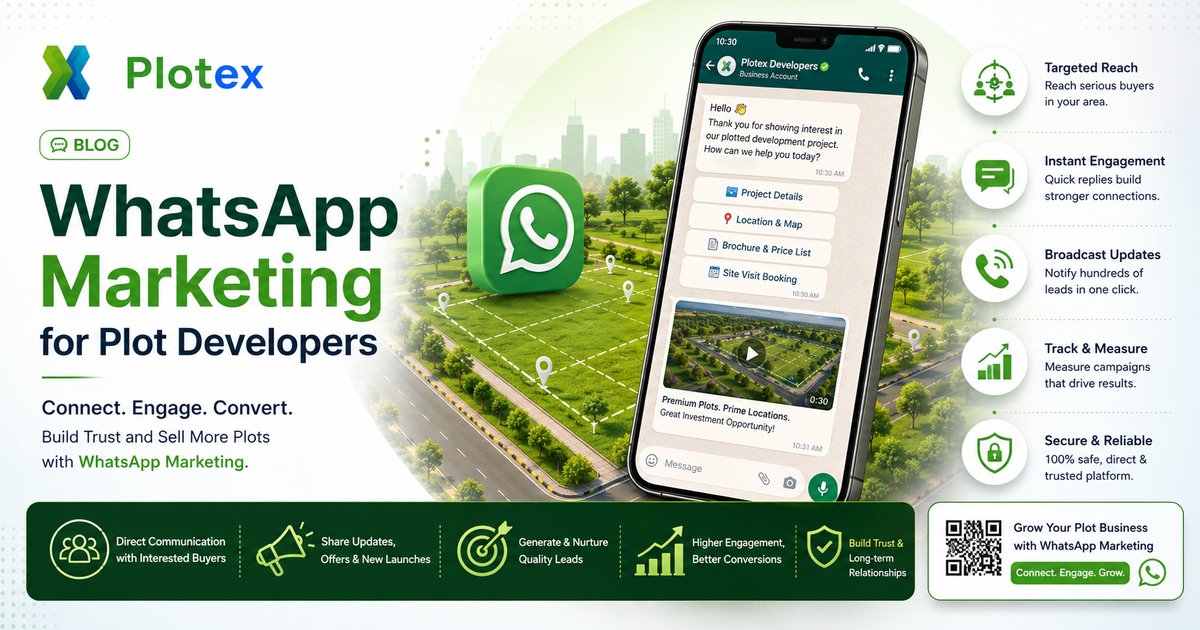
If you're a plot developer in India and you're still relying on Magicbricks leads, hoarding inquiries, and newspaper ads to fill your funnel, you're playing 2019. Your competition has moved to WhatsApp marketing — and they're booking plots with conversation, not cold calls.
WhatsApp now drives 60-70% of plot inquiry conversations in India. The average buyer messages 3-5 developers before booking, and the developer with the fastest, clearest, most useful WhatsApp response wins a disproportionate share of those bookings.
This guide covers the complete WhatsApp marketing playbook for plot developers in 2026: account setup, 7 proven message templates, the 3D plot link strategy, broadcast lists, Status hacks, and the cadence that converts leads to site visits to bookings.
Quick win: Set up WhatsApp Business, add your 3D plot view link to your auto-welcome message, create labels for lead stages (Inquired / Visited / Negotiating / Booked), and use broadcast lists for project updates. Most developers see 40-60% inquiry-to-visit lift just from these four steps.
Why WhatsApp Beats Every Other Channel for Plot Marketing
- Open rate: 95%+ on WhatsApp vs 18-25% on email and 10-15% on SMS.
- Reply rate: 40-60% on WhatsApp vs 2-4% on cold calls.
- Trust: Indian buyers trust WhatsApp because it's personal — the same app they use for family.
- Cost: Free for normal use; small per-message cost for the Business API.
- 3D plot link compatibility: A single tap and the buyer is inside your interactive 3D layout — no app downloads, no PDF struggles.
WhatsApp is also where buyers want to be. PDF over email forces them to change context. WhatsApp + 3D link keeps them in their flow.
Setup — WhatsApp Business in 30 Minutes
Download WhatsApp Business (separate app from WhatsApp Messenger) and configure these settings in this order:
1. Business Profile
Fill: business name, category (Real Estate), address, hours, website (link to your 3D plot view or main site), description (2 lines max with project name and location). The profile photo should be your logo — clean, square, recognisable as a thumbnail.
2. Greeting Message (auto-sent to new contacts)
Set a message that fires the first time anyone messages you. Example: "Hi! Thanks for messaging [Project Name]. View our interactive 3D plot layout here: [3D link]. A team member will respond shortly with details." This is your most-read message — make it work hard.
3. Away Message (auto-sent outside business hours)
Set hours (typically 9 AM - 8 PM). Example: "Thanks for messaging. Our office hours are 9 AM-8 PM. Meanwhile, explore our interactive 3D plot layout here: [3D link]. We'll respond first thing tomorrow." This keeps the lead engaged even at midnight.
4. Quick Replies
Save 5-7 canned responses. Examples: /3d (sends 3D link), /price (sends current plot price list), /rera (sends RERA registration certificate), /visit (offers site-visit booking), /location (sends Google Maps pin). Quick Replies cut response time from 2 minutes to 5 seconds.
5. Labels for Lead Stages
Create labels: Inquired / Hot / Site Visit Booked / Visited / Negotiating / Booked / Lost. Tag every conversation. This lets you broadcast targeted messages later (e.g., to all "Visited but not booked" leads).
6. Catalog
Add your plots as catalog items — plot number, area, price, photo. Buyers can browse the catalog inside WhatsApp. Pair the catalog with a pinned message linking to the 3D layout for the full experience.
The 3D Plot Link — Your Most Powerful Asset
Every plot developer's WhatsApp arsenal should center on one weapon: the 3D plot view link. It's a single URL that loads an interactive 3D layout in the buyer's browser — they tap, the entire layout opens, they explore.
Why this beats sending a PDF on WhatsApp:
- No 5 MB attachment to download.
- Mobile-friendly by default.
- Buyer can rotate, click plots, see real-time availability.
- Forwardable — when the buyer shares the link with family on WhatsApp, they all see the same interactive view.
- Multiplies organically — every share is a new viewing.
For full context on this, read our guide on why builders are switching from PDFs to 3D in 2026 and the PDF-to-3D conversion process.
The 7 Templates That Convert
Template 1 — First Reply (Inquiry Response)
Hi [First Name], thanks for your interest in [Project Name] at [Location].
Here's the interactive 3D layout — tap to rotate, click any plot to see dimensions and availability: [3D link]
The plots range from [X] to [Y] sq.ft, starting at Rs [price]. All [HMDA / PMRDA / BMRDA] approved and RERA registered.
Would you like me to send the current price list or arrange a site visit this weekend?
Why this works: Personal name, immediate value (3D link), three concrete numbers, one clear next-step question.
Template 2 — Follow-up After 48 Hours (No Response)
Hi [First Name], following up on your inquiry about [Project Name].
Quick update — 3 plots got booked yesterday. Current availability is here on the 3D layout: [3D link]
The corner plots at [specific area] are particularly fast-moving — only 2 left. Happy to share specific options that match your budget. Just let me know your preference: corner vs internal, plot size range.
Why this works: Urgency (3 booked yesterday), scarcity (2 corners left), and a question that's easy to answer.
Template 3 — Hot Lead Nudge (Engaged but Not Visited)
Hi [First Name], based on our chat, plot no. [X] at [Y x Z] sq.ft on the [corner / east-facing / internal] side might suit your budget of Rs [price] best.
Here's a close-up view of just that plot in the 3D layout: [3D link with plot anchor]
I'm at the site this Saturday 10 AM - 4 PM. Want me to block a 30-minute slot for you to see the exact plot?
Why this works: Personalised plot recommendation, plot-specific 3D anchor link, time-bound visit slot.
Template 4 — Site Visit Confirmation
Hi [First Name], confirming your site visit at [Project Name] tomorrow at [time].
Address: [Google Maps pin]
I've reserved the plots you shortlisted. While you travel, you can rotate the 3D layout one more time here: [3D link]
Carry an ID. If you reach early, the chai is on me ☕
Why this works: Confirms the slot, removes friction (map pin), keeps engagement via 3D link, and adds personality.
Template 5 — Post-Visit Follow-up (Same Day)
Hi [First Name], thanks for visiting [Project Name] today.
To recap — you shortlisted plot [X] and plot [Y]. Both are still available for the next 48 hours; after that I have other buyers visiting.
Re-explore them here: [3D link]. Feel free to share with your spouse / parents — it works on any phone, no app needed.
Happy to send the agreement terms once you confirm the plot.
Why this works: Recaps shortlisted plots, sets a soft deadline, enables family decision-making via 3D link share, offers a clear next step.
Template 6 — NRI Lead Special
Hi [First Name], welcome — we work with several NRI buyers across [USA / UK / UAE / Singapore].
Since you can't visit immediately, here's the 3D plot view to help you verify dimensions, road access, and corner positioning remotely: [3D link]
We also support video walkthroughs of the site by our team and POA-based registration if you prefer not to fly down. RERA and HMDA approvals are public — happy to share them.
What's your investment timeline?
Why this works: Addresses NRI-specific concerns (verification, POA, RERA transparency). For more on this segment, see our NRI plot investment guide.
Template 7 — Broadcast: Project Update / New Phase Launch
Hi [First Name], quick update from [Project Name].
Phase-2 just launched with 45 new plots — corner units and 30x50 ft layouts available.
Phase-1 buyers booked at Rs [old price]; Phase-2 launch price is Rs [new price] for the first 7 days.
Explore both phases in the updated 3D layout: [3D link]
Reply 'INFO' for the price list or 'VISIT' to block a site-visit slot.
Why this works: Targeted to engaged leads, anchor pricing, clear options for reply.
The 14-Day Lead Cadence
| Day | Action | Template |
|---|---|---|
| 0 (within 15 min) | First reply with 3D link | Template 1 |
| 2 | Follow-up with availability update | Template 2 |
| 5 | Personalised plot recommendation | Template 3 |
| 7-9 | Site visit booking confirmation | Template 4 |
| 9 (post-visit) | Recap + soft deadline | Template 5 |
| 11-12 | Reservation reminder | Quick reply |
| 14 | Switch to weekly soft-touch updates | Broadcast |
Stop daily messaging after Day 14 if there's no booking. Move the lead into a weekly broadcast list for soft updates. Never send 2 consecutive messages without a response — it kills engagement and risks WhatsApp's spam algorithm.
Broadcast Lists vs Groups vs Status
- Broadcast lists: Up to 256 saved contacts. Messages appear individually to each recipient. The right channel for project updates and new-phase launches.
- Groups: Visible to all members. Avoid for sales — buyers don't want to be in a group with strangers. Acceptable only for a private "site visit" group on a specific day.
- Status: 24-hour stories visible to your contacts. Excellent for daily site progress photos, new bookings ("Plot 47 booked!"), and 3D layout teasers.
WhatsApp Marketing Mistakes to Avoid
- Sending the same PDF 5 times. Send the 3D link once, refer back to it.
- Cold-broadcasting to scraped numbers. Triggers spam algorithm and bans the number.
- Voice notes for first reply. Buyers can't scan voice notes; send text.
- No greeting message set. First-time inquirers wait for hours; greeting fires instantly.
- Sending price first. Send value (3D view + project details) first, then price on request.
- Multiple links in one message. Buyers tap one link. Pick the 3D link.
- No follow-up cadence. 60% of bookings happen on Day 3-9, not Day 0.
The Synergy — WhatsApp + 3D + Instagram Reels
The complete modern plot-marketing stack:
- Instagram Reels — short videos showing the site + a glimpse of the 3D layout, with a CTA to DM or message on WhatsApp.
- WhatsApp — primary engagement channel for inquiries.
- 3D plot view — shared via the WhatsApp link, embedded on Instagram bio, linked from Google Ads, displayed via QR code on hoardings.
- WhatsApp Status — daily updates that stay top-of-mind.
Each channel feeds the next. Reels create inquiries → WhatsApp converts inquiries to visits → 3D view confirms the buyer remotely → site visit closes the booking. WhatsApp is one piece of a wider stack — see our roundup of plot marketing tools and the full guide to how to sell plots online with 3D.
The Bottom Line
WhatsApp marketing for plot developers in 2026 isn't optional — it's where Indian buyers already are, and it's one of the most direct ways to sell plots online. The developers who win are the ones who reply in under 15 minutes, share interactive 3D views instead of PDFs, follow up on a structured cadence, and use broadcast lists for project updates without spamming.
Set up WhatsApp Business properly, write the 7 templates above into your Quick Replies, get your 3D plot view link into your greeting message, and label every lead. The compounding effect of these four steps usually delivers 40-60% inquiry-to-visit lift in the first month — without spending a rupee on extra ads.
If you haven't converted your plot layout to a 3D view yet, that's the precondition for half of these templates. Read our guide on switching from PDFs to 3D for the conversion process.

Frequently Asked Questions
Is WhatsApp the best channel for plot marketing in India in 2026?
Yes. WhatsApp accounts for 60-70% of plot inquiry conversations in India in 2026, ahead of phone calls, emails, and SMS. The average Indian plot buyer messages 3-5 developers on WhatsApp before booking. WhatsApp Business with broadcast lists, catalog features, and quick replies is the most efficient channel for plot developers to engage warm leads, share project updates, and distribute 3D plot view links.
How do I send a plot 3D link on WhatsApp effectively?
Send the 3D plot view URL with a short message that creates clear value — for example: 'Hi [Name], here is the interactive 3D layout of [Project Name]. Tap to rotate, click any plot to see dimensions, green plots are available. View on phone or laptop, no app needed.' Avoid sending the PDF separately; the 3D link replaces it. Pair the link with one high-quality photo for context.
What is WhatsApp Business and is it different from regular WhatsApp?
WhatsApp Business is a separate app from WhatsApp Messenger, designed for businesses. Key features for plot developers: catalog (list plots with photos), broadcast lists (send to 256 saved contacts at once), quick replies (canned responses), labels (organize leads), and automated welcome/away messages. It is free and runs on the same phone number.
How often should I message a plot lead on WhatsApp before they buy?
The proven cadence: Day 0 — initial response within 15 minutes with 3D plot link. Day 2 — follow-up with a value point. Day 5 — share a site photo. Day 9 — offer a site visit slot. Day 14 — share testimonial. Stop daily messaging after 14 days; switch to weekly soft-touch updates. Never send more than 2 messages without a response.
Can I broadcast plot listings on WhatsApp without getting blocked?
Yes, but only to contacts who have saved your number. Broadcast lists send to up to 256 saved contacts at once. The rule that protects you from blocks: never broadcast to a number that hasn't saved your business number. Buying lists, scraping numbers from property portals, or auto-adding triggers WhatsApp's spam algorithms and gets the number banned.